
Features
Everything in MacPrune v2.0
Map your disk, clean by risk level, track your AI tools and watch your Mac live, in one app. Start free, upgrade once to remove the limits.
Free with every download
No account, no trial timer. These tools are yours from the first launch.
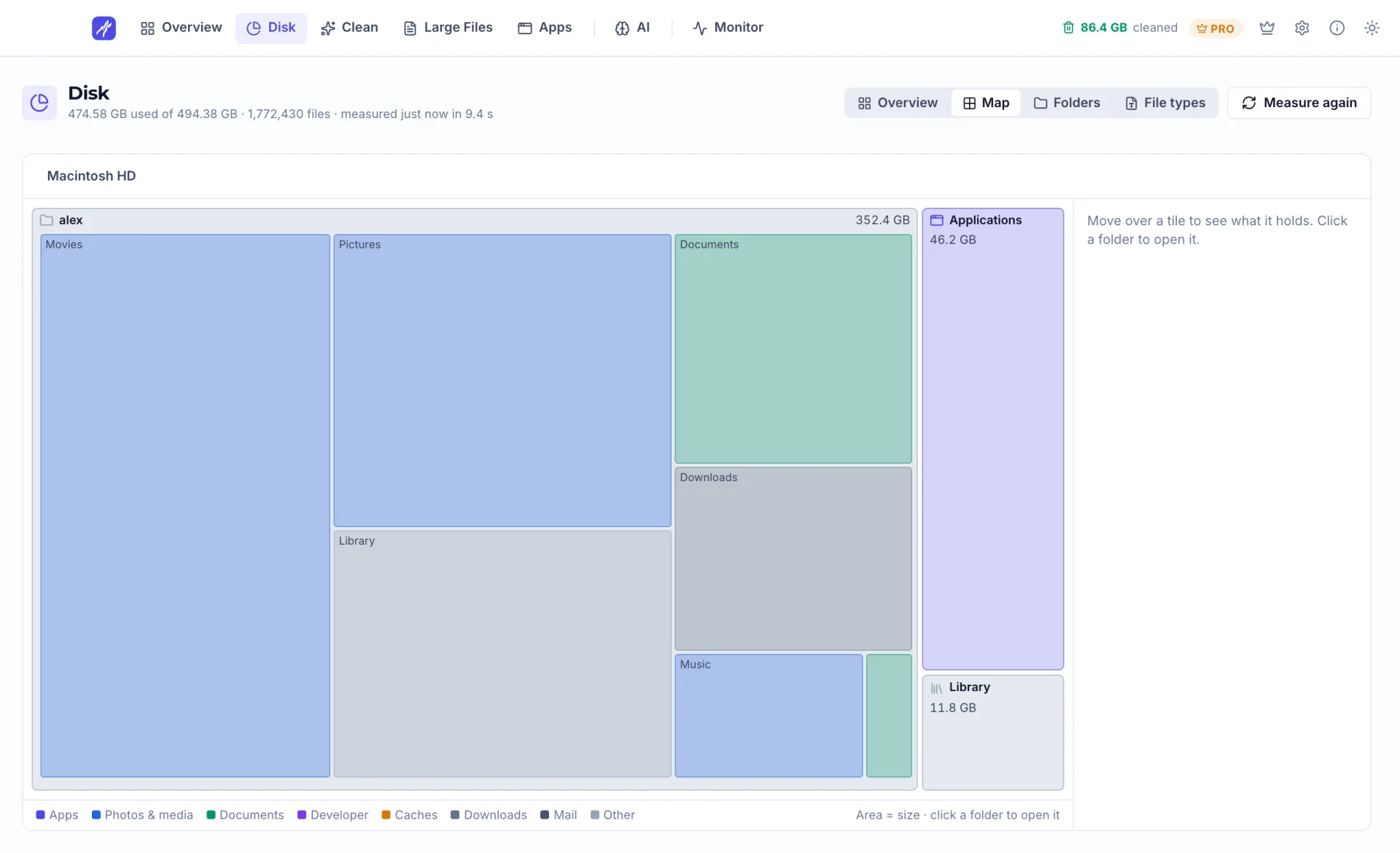
Disk Map
Every folder drawn as a tile sized by the space it takes, so you can see where each gigabyte went.
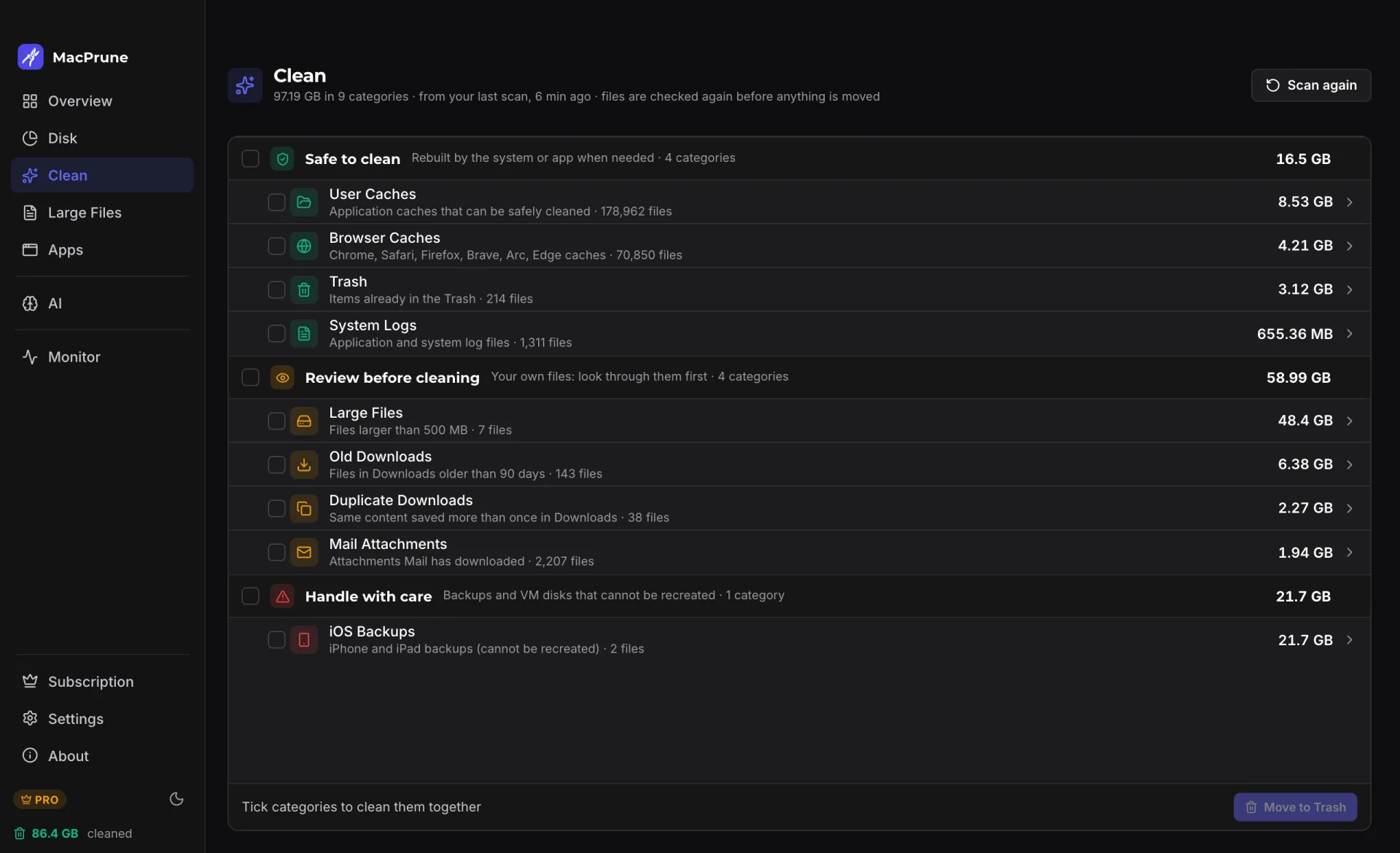
Scan Sorted by Risk
One scan groups clutter into safe to clean, review before cleaning, and handle with care.
Cleanup to the Trash
Caches, browser caches and the Trash are free to clean. Files move to the Trash, so nothing is lost by mistake.
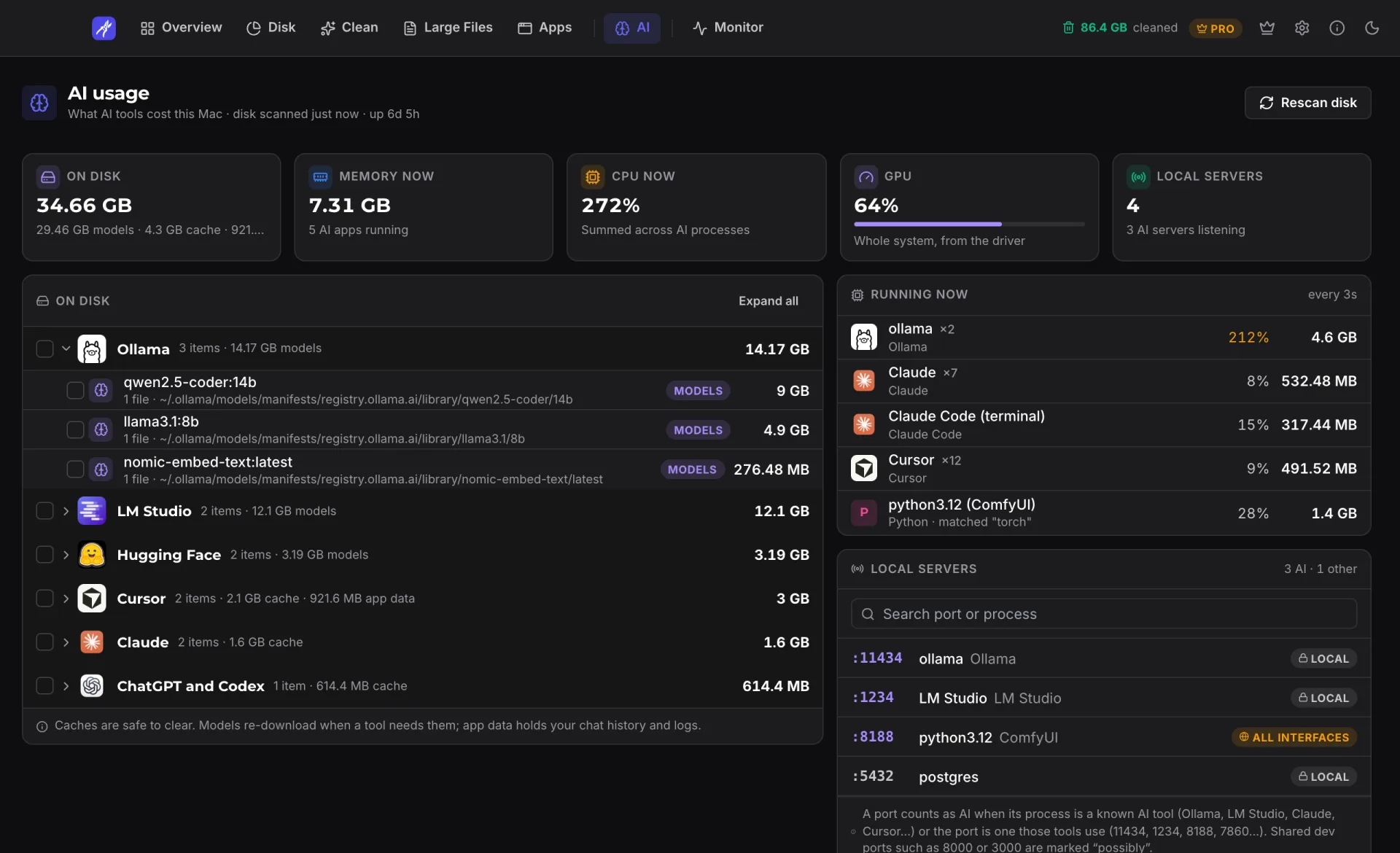
AI Usage
Models, caches and app data from tools like Ollama, LM Studio and Cursor, plus what is running and which local ports are open.
Live Monitor
CPU, GPU, memory, disk, network and battery on one page, with a network speed test.
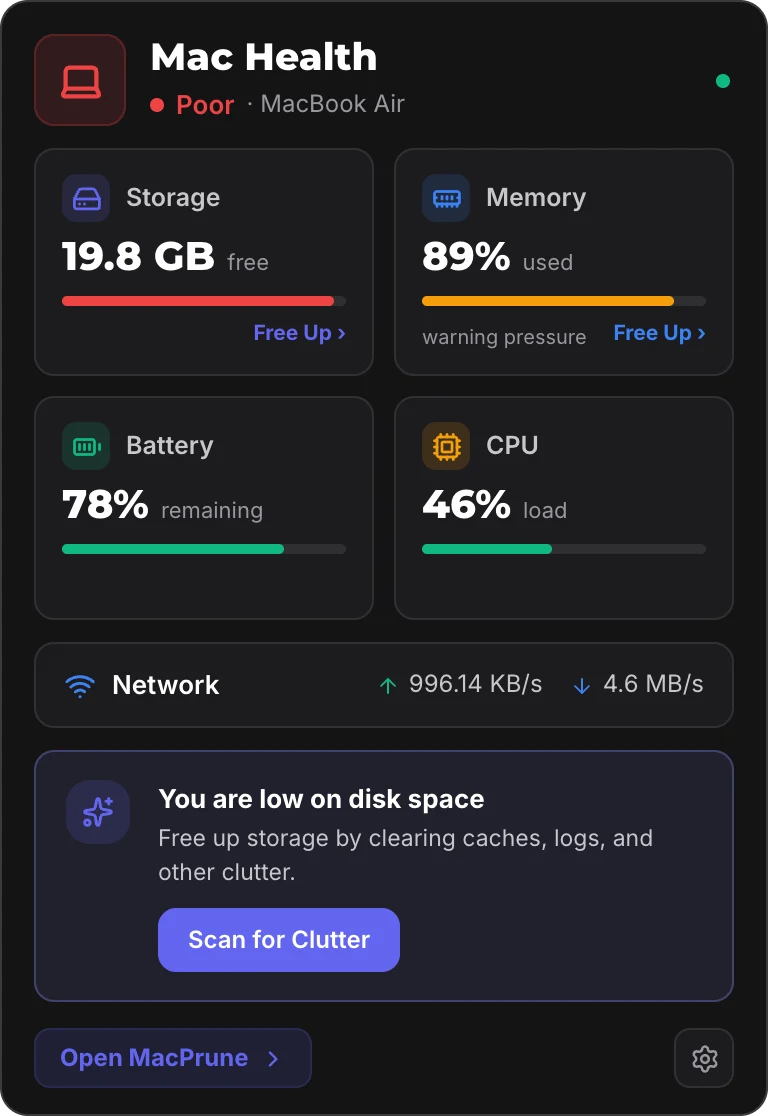
Menu Bar Health
Storage, memory, battery, CPU and network in a compact panel that opens from the menu bar.
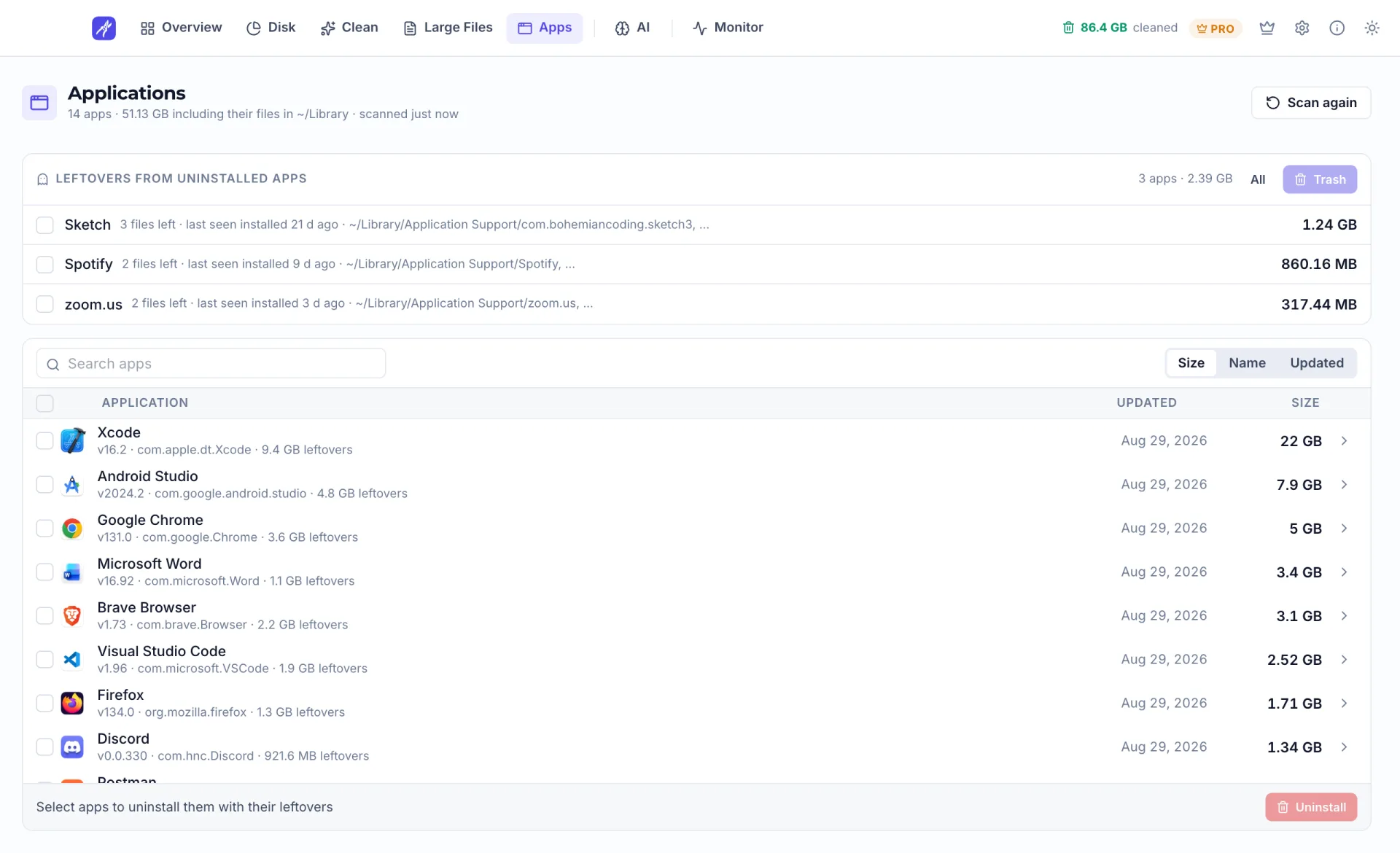
Leftover Finder
Files left behind by apps you already removed, found and cleared for free.
Your Layout, Your Theme
Top tabs or a sidebar, dark or light, or follow the system setting.
Pro, a one-time upgrade
Pay once, own it forever. No subscription, and free updates included.
Every Cleanup Category
System logs, old and duplicate downloads, mail attachments, iOS backups, Xcode, Docker and package caches.
Unlimited Large Files
Remove the biggest files on your Mac in one batch. The free version handles up to 1 GB at a time.
Unlimited App Uninstaller
Uninstall any number of apps with their related files. The free version removes two per batch.
AI Models and App Data
Remove downloaded models and AI app data, not only caches, and quit apps or stop local servers without a daily limit.
A closer look
The parts of version 2.0 you will reach for most, as they appear in the app. Numbers in the screenshots are demo data.
Disk map
See where every gigabyte went
The Disk page draws your drive as a map. Every folder is a tile sized by the space it takes, so the big ones are obvious at a glance.
- Click a folder to open it
- Also by kind of content, by folder and by file type
- For looking only: the map has no delete button
Clean
Clutter, sorted by risk
One scan puts everything cleanable into three groups, so you know what is safe before you tick anything.
- Safe to clean: rebuilt by the system or app when needed
- Review before cleaning: your own files, look first
- Handle with care: backups that cannot be recreated
New in v2.0
What your AI tools cost your Mac
Local models and AI apps take a lot of room and memory. The AI page adds it up: what is on disk, what is running, and which local servers are listening.
- Models, caches and app data per tool
- AI processes with their CPU and memory
- Stop a local server straight from the list
Apps
Uninstall an app, and what it left behind
Each app is listed with the related files it keeps. Remove them together, and find the leftovers of apps you deleted long ago.
- Related files shown before you remove anything
- Leftovers of already removed apps are free to clear
- Everything goes to the Trash first
Menu bar
Mac Health, one click away
Storage, memory, battery, CPU and network sit in a compact panel that opens from the menu bar, without opening the full app.
- A health rating for the whole Mac
- Free space and memory pressure
- Upload and download rates
Try MacPrune today
Start with the free version. Upgrade only if you need the full toolkit.
macOS 13+ · Apple Silicon & Intel · Free basic version