
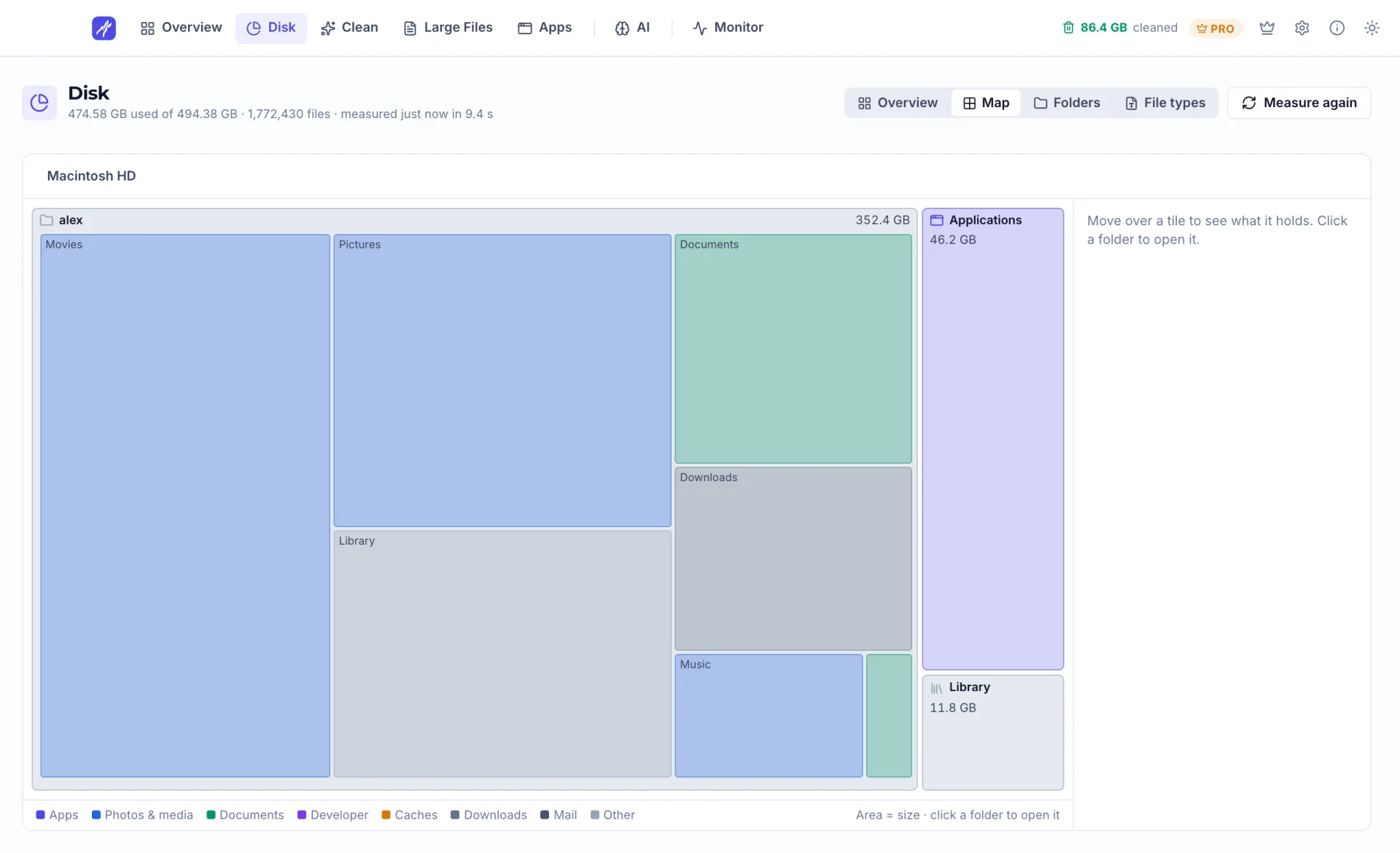
Disk Map
Every folder drawn as a tile sized by the space it takes, so you can see where each gigabyte went.
MacPrune v2.0 · Made for Mac · Free basic version
One map of your whole disk, clutter sorted into three risk levels, and a cleanup that moves your picks to the Trash, so a mistake can always be undone.
Limited time Pro for $7.99 until Nov 4, then $19.99
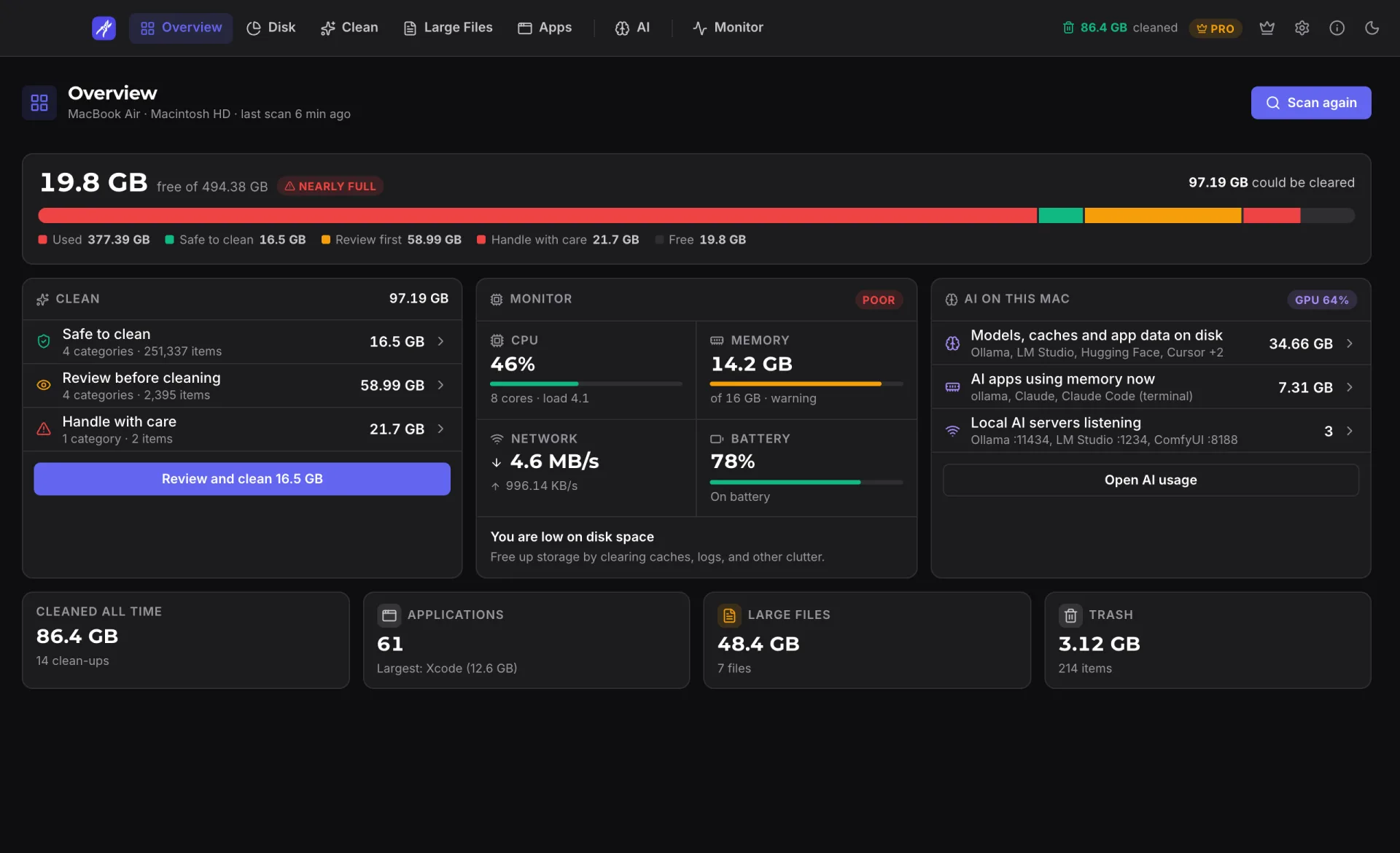
Numbers shown are demo data.
Free
Basic version, no account
One-time
Pro purchase, no subscription
To the Trash
Where cleanup moves your files
macOS 13+
Apple Silicon and Intel
Limited-time price
For the 1 Mac licence. Pay once, keep Pro forever.
Watch the film
Filmed from the real app: the disk map, cleanup sorted by risk, large files, apps with their leftovers, AI usage and the live monitor.
Menu bar
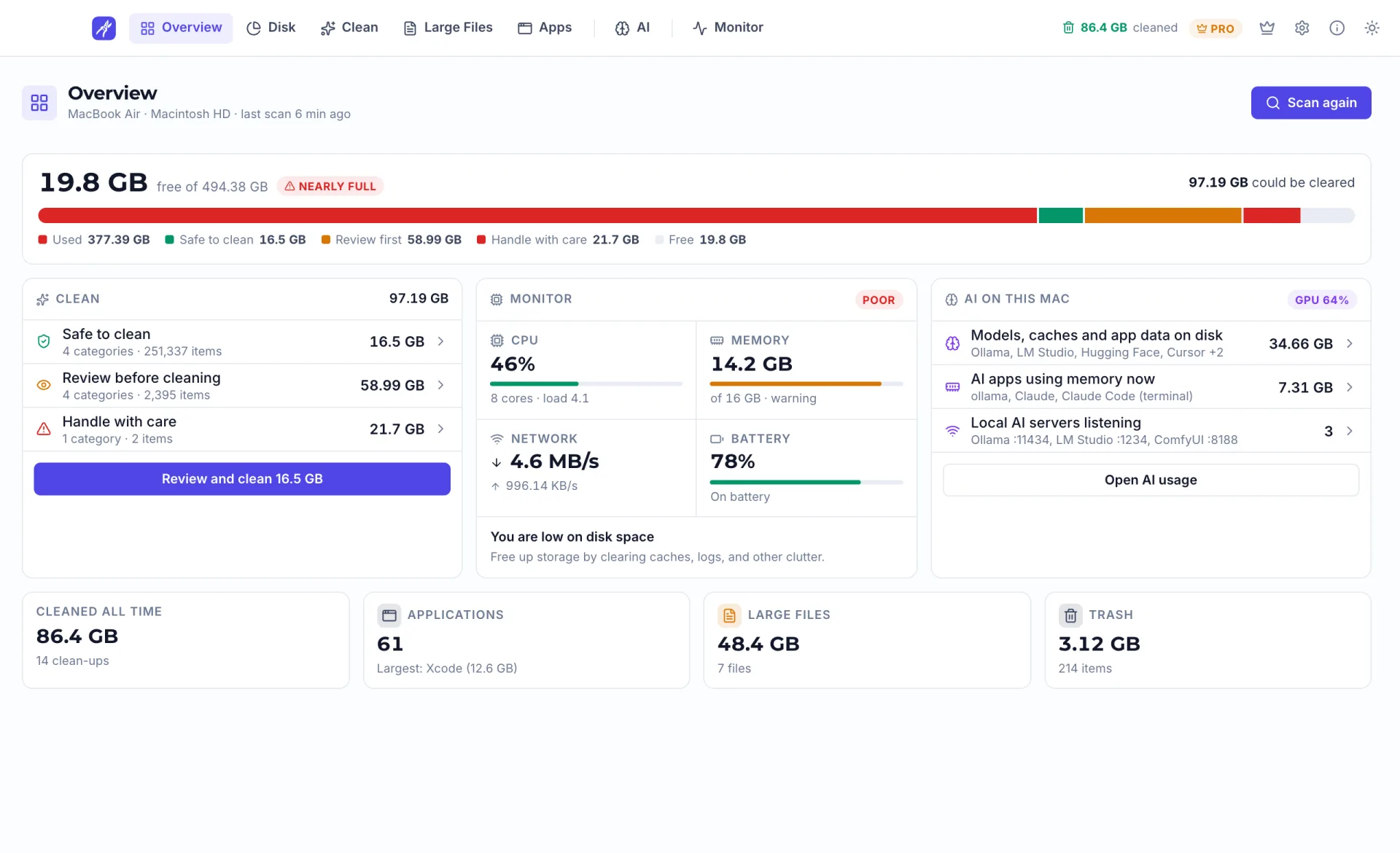
MacPrune sits in the menu bar. Click its icon and a panel drops down with live readings, what the last scan found and what your AI tools are using, without opening the main window.
Click the icon or a tab. Demo data: nothing here touches your Mac.
Features
Three things MacPrune does that a full-disk warning never will, and everything else that comes with them.
Every folder drawn as a tile sized by the space it takes, so you can see where each gigabyte went.
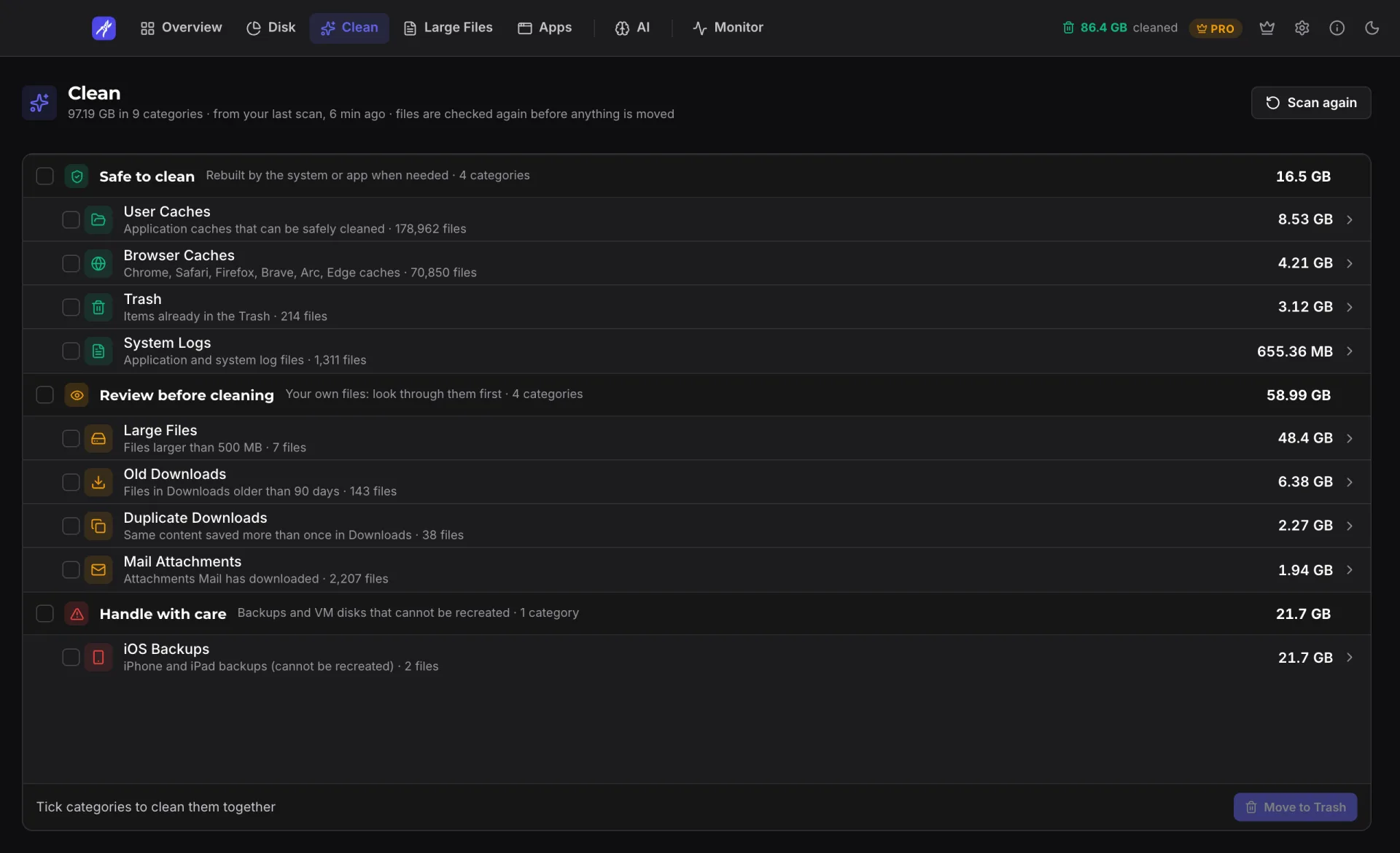
One scan groups clutter into safe to clean, review before cleaning, and handle with care.
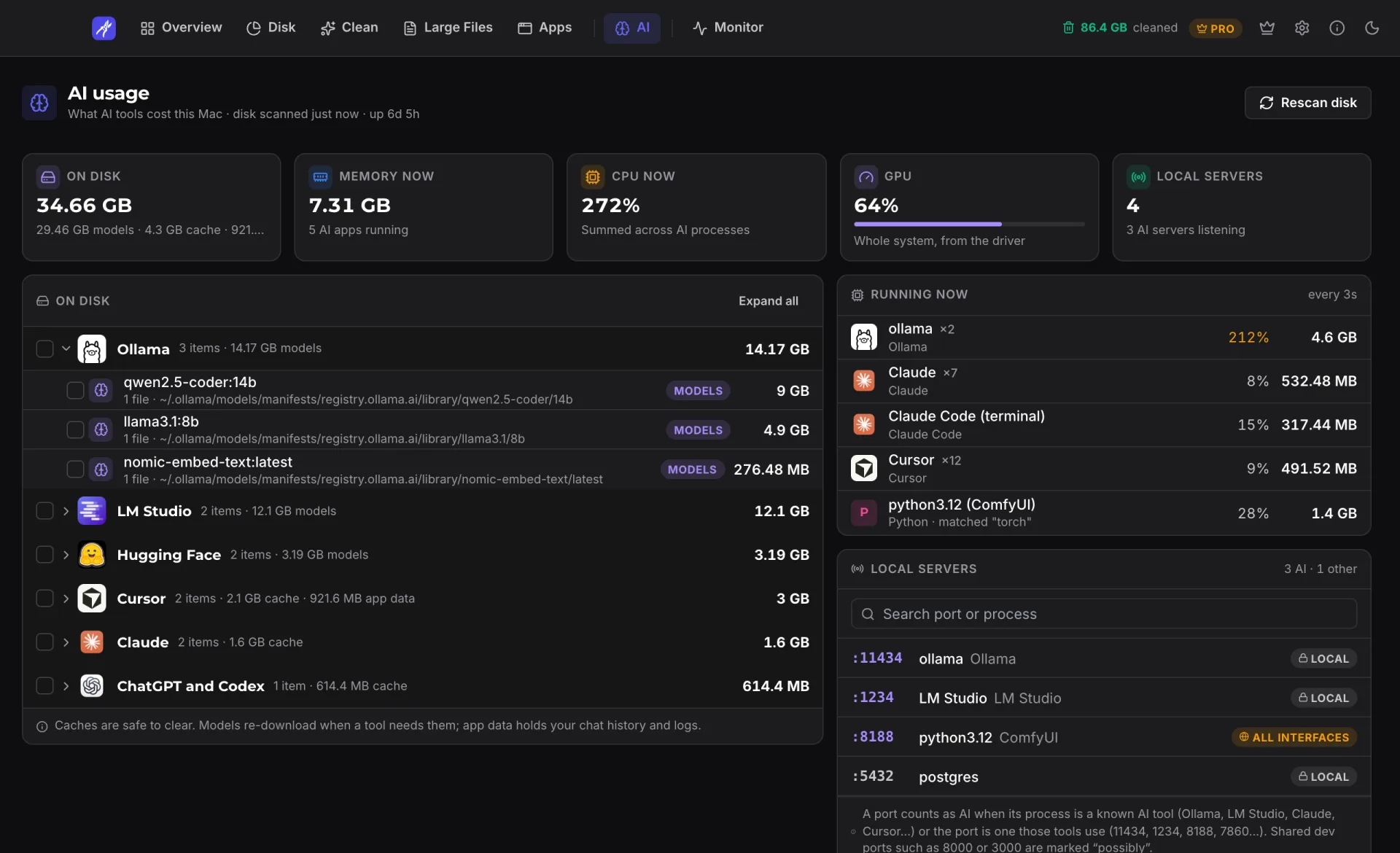
Models, caches and app data from tools like Ollama, LM Studio and Cursor, plus what is running and which local ports are open.
FAQ
Everything you need to know about MacPrune.
Still have questions?Contact us and we reply within 24 hours on business days.MacPrune is a macOS storage cleaner and system monitor. It draws your disk as a map, sorts clutter into three risk levels, finds large files, uninstalls apps with their leftovers, shows what AI tools are using, and monitors your Mac live. Basic usage is free; a one-time Pro upgrade removes the limits.
Yes. The free version scans everything, shows the disk map, AI usage and the live monitor, and cleans user caches, browser caches and the Trash. Pro is a one-time payment with no subscription. It unlocks every cleanup category and removes the limits on large files, app uninstalls and quitting apps.
Version 2.0 is a full redesign. New in it: a disk map that draws every folder as a tile sized by the space it takes, an AI usage page for models, caches and local servers, leftovers of apps you already removed, Memory and CPU merged into one Monitor page, a choice of top tabs or a sidebar, and dark and light themes.
All scanning and cleaning happens on your Mac. File names, paths, sizes and scan results are never sent anywhere, and there is no analytics, telemetry or ad tracking in the app. It goes online only to check for updates, to validate a Pro licence, to fetch its notice banner, and to run a network speed test when you click it. The privacy policy lists each one.
MacPrune supports macOS Ventura (13) and later, on both Apple Silicon and Intel Macs.
Yes. Cleanup moves files to the Trash instead of deleting them, so anything can be put back until you empty the Trash. Every category is marked as safe to clean, review before cleaning, or handle with care, and nothing is moved without your confirmation. Space is freed when the Trash is emptied.
MacPrune frees disk space; it does not claim to speed up your Mac. The Monitor page shows which apps are using the most memory and CPU, and you can quit them from there.
You can reach us through our contact page. We read every message and respond within 24 hours on business days, whether it is a bug report, feature request, or partnership inquiry.
Download MacPrune and reclaim gigabytes of wasted disk space. No signup required.
macOS 13+ · Apple Silicon & Intel · Free basic version